Search Results
Search this site
298 results found with an empty search
- NENA Tips: Discretionary Override
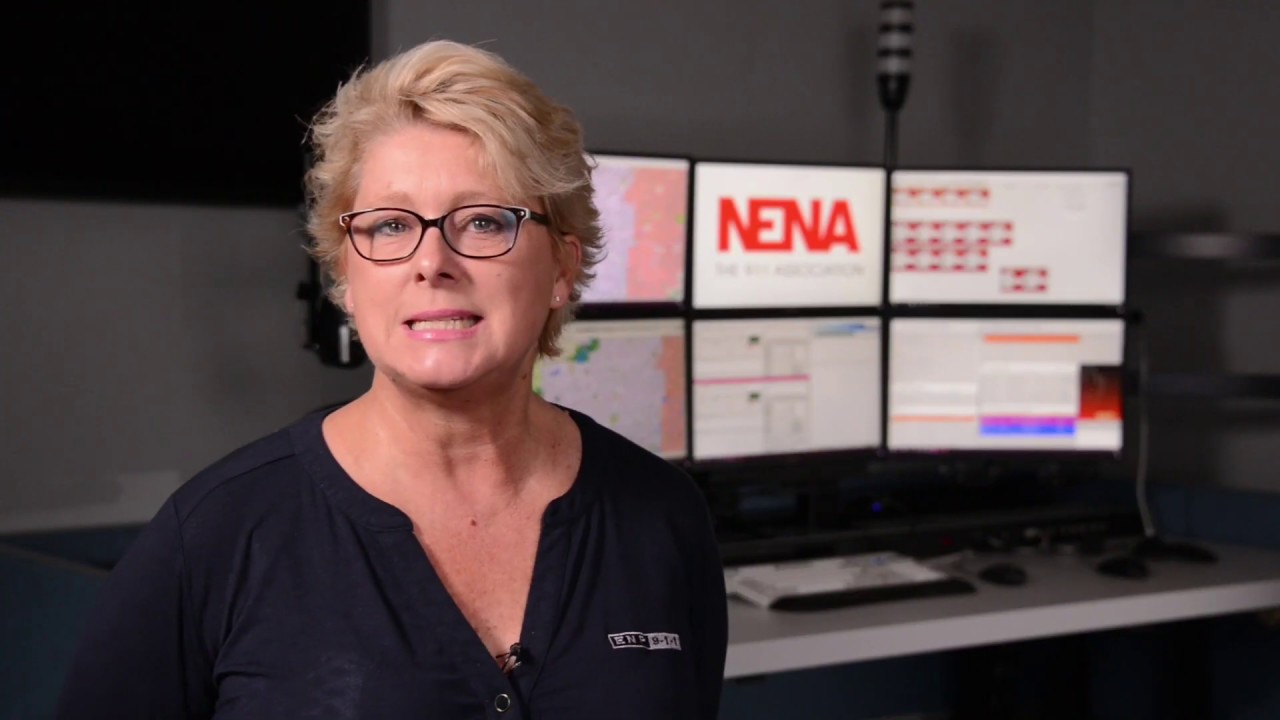
In this week's #NENATCTip, Leslie Whitham, ENP takes us In the Center to talk about #CTO Discretionary Override, and allowing trainees to Fail Forward! #NENATCTips#NENATrained #911dispatcher #psap #911emergencycommunicationscenter #publicsafety #dispatchconsoles
- The Return of the Cubicle: Designing Control Rooms Post Covid-19.
"Cubicles have a superpower that open-plan offices do not, they can help stop germs from spreading and sickening workers. For the moment, and maybe for a long moment, that alone is likely to herald the return of the cubicle." - The Globe & Mail The COVID-19 pandemic brought a whole new set of challenges across almost every area in our lives. In just a matter of weeks, we learned how to adapt to our new way of life, from not going to school, shopping, seeing friends, and even working. At the time of the writing of this article, countries around the globe are gradually starting to reopen their economies. While many businesses learned that it was possible to keep their operations afloat by introducing remote work, doing so is not feasible for every industry such as 24/7 control room environments and command centers. This is why many businesses are starting to wonder how to make sure their workers are safe when they finally return to their desks. With the rise in popularity in the "silicon valley" startup workplace, using shared office spaces and common areas such as salad bars, games rooms, rooftop patios, and open lounges, many are questioning if this workplace model is still relevant in a post-pandemic reality. What About 24/7 Work Environments? With many businesses contemplating introducing radical changes to the workplace to keep their staff safe, cubicles and plexiglass protective partitions are making a strong come back in office spaces. Some firms are even considering remodeling their offices entirely to minimize the risk of a potential second wave of infections in the following months. However, while standard office spaces had the chance to adapt while everyone was away, 24/7 work environments such as control rooms, 911 dispatch centers, and command centers did not have such luxury as they are essential workers. In this article, we will go over why the cubicle workplace format is on route to becoming the new trend and we'll offer a few recommendations to help keep operators safe from spreading the virus in 24/7 work environments. The History Of The Cubicle Before getting into why the cubicle is on its way to becoming the new office trend in 2020, let's go back a few years to learn more about its origins. In the 1960s, the U.S. office furniture company Herman Miller created a new workplace concept called the "Action Office". The furniture system allowed companies to quickly create a workplace environment while having as many employees under one single roof to make the most out of their floor space. Over the years, the concept was introduced in office spaces across the world as they were a highly cost-effective option. However, by the 1990s, the cubicle became outdated, seen as uncool and boring it now represented everything wrong with the corporate world. Even the original designer at Herman Miller called what his idea has become, a “monolithic insanity”. The Rise Of The Open Space Office Fast-forward a few decades, and the open space format is now the new standard for most Forbes 500 companies. With the rise of Silicon Valley startups growing exponentially and their need to allocate employees in an office rapidly, companies realized that it was even cheaper to put everyone into a big open space and remove the walls altogether. In the beginning, the open space concept had many promises such as encouraging collaboration, sharing ideas, and improving communication. Unfortunately, working openly and collaboratively together did not often result in the great promise what it was expected to offer. For instance, "A 2020 study by iQ Office, a co-working company, found that as of 2020 close to 60 percent of Canadians said that distractions at work caused them to lose up to two hours of productivity every day, with nearly half of those surveyed blaming noisy open-concept offices for the distractions" (GlobeNewswire). Furthermore, a "2018 study by Harvard professors Ethan S. Bernstein and Stephen Turban that showed that open plan-offices result in 73 percent fewer face-to-face interactions and a 67-per-cent increase in e-mail interactions. Other studies have shown that open-concept offices lead to more staff turnover and more employee conflicts." (Bernstein S., Turban S) Meaning that in several cases, shared office spaces are doing the opposite of what they were meant to be. The Cubicle Is Back Understandably, many organizations are still hesitant to invest at scale to redesign their workplace in what may only be a temporary pandemic situation, on the other hand, it is a great time to take advantage of the situation and rethink the way in which we create our workspaces. Today, "companies are realizing a balance must be struck, with a return to the privacy and personal workspace without sacrificing the creative collaboration made possible through open-office design." (Inc.) In more real terms, this means integrating back the cubicle format without striving to put as many people in the same room. Giving employees their own space so they can focus on their work but still have a feeling of open space in the office with ergonomically designed furniture. At Sustema, we help our customers design their control room work environments to be as ergonomically as possible considering that these types of facilities need to operate 24/7 and help operators to remain alert at all times. We recently introduced the PES 360 which enables operators to set their preferred setting for the workstation including the temperature, lighting, height, and much more. Designing Control Rooms Post Covid-19 Here are a few recommendations on how to rethink the office workspace in order to better prepare to protect employees during the COVID-19 pandemic. Mid to Long Term New layouts in the space to help physical distancing feel more comfortable such as adding new elements to workstations, like glass or higher screens. New bleach-cleanable fabrics will be introduced. Travel is likely to be limited for some time which means the workplace needs to provide more and better options for videoconferencing. Change the design mentality from thinking in terms of density and costs need to shift, adaptability instead of permanence, fluid instead of fixed. Flexible layouts with breakout areas, more personal space, and ventilation systems that clean the air and kill pathogens. Short Term Moving desks apart and removing chairs Adding barriers, enhancing cleaning and safety measures, as well as supporting those who are working from home longer. Installing plexiglass or some other form of sneeze or cough guards to give additional insurance - a pandemic twist on the old cubicle model. Separating staff, half at the main center, and another half at the backup plant Leaving at least a seat of the distance between operators working close to each other Restricting access to the control room (No vendors or visitors) Providing disinfecting wipes and spray to clean the workstations Increasing the daily cleaning by the maintenance crew Wearing masks where social distancing is not possible Limiting access to the lunchroom Closing unnecessary rooms (gym, quiet room, etc) Limite the number of people in elevators and, with the canteen buffet off the menu, encourage staff to bring in their own food. While the changes may feel surreal at first, over time a new “normal” will emerge in the office workspace. Companies that will try to return to the way things were before COVID-19 will probably struggle to keep their staff feels safe which will inevitably affect productivity and turnover. Furthermore, now that we experimented working from home and learned that it was possible on a large scale, the role of the workplace in a post-COVID-19 world is more important than ever. In conclusion, we need to recognize that using the cubicle office format in terms of putting as many people together has severe drawbacks, the open office is also greatly suffering under its current minimalist design. There needs to be a balance between the two concepts as we reinvent the workplace and integrate more emerging technology to deliver employee safety and wellbeing. Sustema Inc. If you have any questions or comments, please feel free to email us at info@sustema.com or contact us directly by phone at 1-800-455-8450. Our representatives are also available on our live chat tool during business hours. Sources Bernstein S., Turban S. The impact of the ‘open’ workspace on human collaboration. Phil. Trans. R. Soc. 2018. http://doi.org/10.1098/rstb.2017.0239
- Introducing Sustema's Newly Redesigned Website!
Welcome To Our New Website! Sustema Inc. is pleased to announce the launch of its newly redesigned website "www.sustema.com". Featuring a brand new look, a fully responsive layout for all platforms, and more information on our interactive products catalog. Our goal is to provide our visitors with an easier and more intuitive way to learn about Sustema and to make information regarding our products and services easily accessible for our current and prospective clients. We will keep updating our content with current information on the latest industry trends in control room furniture design, company announcements, and client case studies in the blog section. You can also sign up for our monthly newsletter to receive news from us directly to your email. The new company website is part of the ongoing evolution of the Sustema brand, with over 20 years of experience designing and manufacturing technical furniture solutions for 24/7 mission-critical work environments, we stay committed to offering our clients the latest technology for their control rooms and command centers. We hope you’ll find it easier to navigate and find what you’re looking for quickly and efficiently! What’s New? User-Friendly Navigation Online Product Catalog Blog & News Live Chat Support Responsive Mobile Design Intelligent Search Bar For any questions or feedback, please let us know by e-mailing us. If you’d like to stay connected on social media, follow us on LinkedIn, Facebook, Instagram, Pinterest, or Youtube!
- How Can ConsoleALERT® Promote Social Distancing in the 9-1-1 Dispatch Center (PSAP)?
What is ConsoleALERT®? ConsoleALERT® provides PSAP supervisors with instant insights on the work status and performance of their team through its personalized floor plan overview and advanced notification system. Learn more about ConsoleALERT® here. How Does ConsoleALERT® Promote Social Distancing in the PSAP? The unprecedented effects of the COVID-19 pandemic in our society are felt in many areas of our lives, including the way in which work is performed in the PSAP. 911 dispatch centers being an essential service for the safety of people in our cities, a negative impact on its performance could have detrimental effects on people's lives. 1. ConsoleALERT® enables PSAP supervisors to monitor the activities of operators without having to leave his/her position. This helps reduce the necessity of walking around the dispatch and reduces the risk of spreading airborne particles. 2. Furthermore, ConsoleALERT® enables operators to request assistance from PSAP supervisors directly from their console at the single touch of a button. Whenever help is requested, supervisors are instantly notified through the desktop application with a visual and sound alert. Supervisors can then quickly identify the source of the issue and take over the call. How does ConsoleALERT® work? 1. ConsoleALERT® is a software application powered by Sustema's dispatch consoles. Consoles are designed with a fixed or self-standing button which operators can press to request assistance from dispatch supervisors. 2. When operators request assistance, ConsoleALERT® can send both a digital notification to the supervisor's desktop and activate the status light to serve as a visual cue in the dispatch center. 3. ConsoleALERT® also provides information about operator work statuses such as being in a call, on the radio, and information about the console usage identifying when a position is available or not. Dispatch supervisors can later analyze the console usage data for training purposes and overall PSAP performance. Talk With A Representative Contact us by email, phone, or chat with us online if you have any questions regarding ConsoleALERT® or Sustema's control room and dispatch consoles. Email: info@sustema.com Phone: 1-800-455-8450
- How Are PSAPs and 911 Dispatch Centers Adapting To The COVID-19?
The recent COVID-19 outbreak has completely changed the way we live our lives, from going to the grocery store, playing sports, seeing friends, and even the way we work! As the first wave of COVID-19 cases is passing, countries are slowly opening up their economies and businesses have had to adapt in many ways to safely receive employees and customers again. So, how are 24/7 work environments such as PSAPs and 911 dispatch centers adapting their workspace to fight against the spread of the virus? As you've probably seen when you go out these days, plexiglass is being installed almost everywhere as a means to protect against the spread of air particles. However, generic plexiglass panels may not be enough for the needs of PSAPs work environments where operators often work 10+ hours shifts and use highly specialized furniture making it hard to mount most of the plexiglass solutions found on the market. ConsoleSHIELD: Operator Protective Partitions With the increased need to find ways to protect employees against the spread of the virus, Sustema designed the ConsoleShield plexiglass partitions as a means to promote social distancing a reduce the spread of air particles in the PSAP. Plexiglass shields are entirely manufactured based on the needs and dimensions of your control room and 911 dispatch centers for optimal results. ConsoleShield is a high-quality and easy to clean partition system designed to serve as a barrier against particles released when coughing or sneezing. Here are the different plexiglass protector models available for control rooms and dispatch centers. Wall-Mounted Plexiglass Partitions ConsoleShield wall-mounted partitions are designed to seamlessly and securely integrate on the wall of your Sustema console system. Made with high-quality acrylic panels. ConsoleShield partitions can be customized in height and length for added protection in the control room. For other workstation/console manufacturers, the clamp plexiglass model is available to mount directly on the edge of the worksurface. Free-standing Plexiglass Separators ConsoleShield free-standing plexiglass partitions are easy to install and serve as a barrier for PSAP layouts where operators work close to each other. These plexiglass panels can be moved and adjusted easily to accommodate the needs of dispatchers and are custom made in terms of length and width based on the needs of the dispatch center. Floor Plexiglass Protectors ConsoleShield floor plexiglass panels serve as a barrier in the outer ends of workstations to protect against air particles in high-traffic areas. Floor plexiglass are free-standing and can be installed in different areas of the PSAP based on your needs. Features: Smooth Round Edges Temporary or Permanent Installation Available in Fixed & Self- Standing Formats Easy to Clean Acrylic Partition Custom Made Partitions Protection Against Airborne Particles Visually Promotes Social Distancing Easy to Install Solution About Sustema: Sustema is a leader in the design and manufacturing of control room and dispatch center work environments. With more than 20 years of experience in the industry, Sustema has helped thousands of clients in North America to equip their mission-critical operations centers with customized furniture and console solutions. To learn more about ConsoleShield, download the brochure or contact us directly by phone 1-800-455-8450, email at info@sustema.com, or via chat to talk with one of our representatives directly!
- 5 Advantages of Ergonomic Workstations & Consoles
Improved employee productivity tops the list of the many advantages with ergonomically enhanced workstations. This article speaks to the main examples of success when incorporating an ergonomic workstation for your PSAP. A workstation that has been optimized for the rigorous demands of the 9-1-1 dispatch is not only structurally sounds it has been designed to allow an operator to function at optimal efficiency over a 12-hour shift. Browse our console catalog to view Sustema's control room and dispatch consoles. Take for example a Sustema designed dual height workstations for mission-critical operations: Starting with the keyboard surface we have designed a height Variable of 22” from the floor to 48”. Ideal for the 5th percentile person’s height to the 95th percentile person’s height design for a very large range of user sizes. The monitor surface has an identical height variable, however, it is adjusted differently to accommodate for the optimal sightline as it relates to your monitor configuration. For example, when your standing and your eyes are looking forward at a slightly less than 90-degree angle providing the optimal sightline to avoid fatigue over extended periods of monitor time. An additional factor to consider is the operator distance from the monitor configuration. We have developed a rail-mounted focal shelf that easily allows the operator to change that distance by simply sliding the entire monitor configuration forward and back for optimal monitor distance. Another critical factor in ergonomics is the user reach zone. The reach zone is the area of the workstation that an operator can easily access when their upper arms are at rest alongside their body and with your elbows bent. The reach zone will vary depending on the size and configuration of the console but essentially the accessibility when an operator sweeps their forearms back and forth across their desk should be designed for easy access to monitors, keyboards, and phone systems without strain or breaking their elbow. The final criteria for an optimized ergonomic workstation are designed with ample leg space under the work surface for comfort and blood circulation. Sustema has designed its workstations following the American National Standards Institute: ANSI/HFES 100-2007: Human Factors Engineering of Computer Workstations. This technical standard specifies acceptable applications of human factors engineering principles and practices to the design and configuration of the human-hardware interfaces in computer workstations. I hope this article helps to illustrate the benefit of ergonomic workstations. Looking forward to hearing from you soon, thanks for reading! If you have any questions regarding ergonomic workstation consoles please contact us at info@sustema.com or through our online chat tool to speak with one of our representatives.
- What Are The Computer Storage Options For Control Room Consoles?
Computer and IT equipment storage options are a key element to consider in the process of acquiring consoles for control room or command center environments. In this article, we will guide you through the process of choosing the right computer storage that best fits your needs. Computers come in various shapes; only a few years ago, full/mid-size towers were the norm and used almost exclusively in command center environments. Fast-forward a few years, CPU units are now made smaller and smaller every year, which is why you might find Small Form Factor as well as Thin Client in IT-intensive work environments. However, while smaller CPUs require less storage space, the cable management needed to power and access the device still remains an issue as it hasn't changed much with a lot of bulky solutions in the market. Option 1. Swing-Out CPU Enclosures The first critical step in identifying the right console is to know what type of CPU and how many will be used for each workstation. For instance, the make, size, model, and power requirements. In the Focus Series, the CPU enclosures are attached to the rear wall section of the console. CPU swing-out enclosures are a great option to store your computers aesthetically, cable clutter-free, and with easy access to the computers for troubleshooting. Swing-out enclosures also give users plenty of space with nearly 10-inch-deep (made to store your CPU sideways) and the width varies as per the rear wall section width. To give a concrete example, if you have a 72’’ wide console, you will be looking at approximately 60’’ W x 10’’D x 24’’ H storage enclosures, which is perfect to house 2 Full/mid-size towers. This enclosure can also be doubled or positioned at the rear or front of the wall, depending on your storage need and room layout. CPU enclosures include a lockable feature for an extra layer of security. Option 2. Transit Series Cabinet The Transit series cabinets are perfect to house multiple CPUs under one single console. With front and rear access for your CPU’s (on the Transit S models), this cabinet is offered in various formats, with widths ranging from 16’’ to 24’’ allowing you to store one or two desktop computers side by side in each cabinet. Thanks to the sliding shelf, it is easy to access the computer when connecting to a new device. Option 3. CPU holders / Thin Client support A very cost-effective solution to house your computer remains the CPU holder, most of the models come with a rail system so you can slightly adjust the position of your CPU underneath your desk. Since the rail is simply screwed underneath the surface, you can add/remove it easily as well as modify it’s positioning with ease. Although the cabling will never be fully hidden, it remains a good option if you intend to use an extra CPU for a certain time. We are seeing more thin clients being used in control centers, there is also the possibility of fixing the thin client between the monitor and the VESA plate of your LCD arm. This allows you to shorten the cables run and hides the CPU cleanly for the console operator. On the last note, if you happen to use rackmount equipment’s such as for DVR’s and others, it is entirely possible to add a rackmount support kit to the option 1 and 2 described above. Get in contact with your Sustema representative to learn more today. Contact Information: Toll-free: 1-800-455-8450 Email: info@sustema.com We're Online, chat with us!
- How Do You Clean Urethane Edges?
Urethane Edge The perfect balance between durability, comfort, and its wide variety of colors has made urethane edge a popular choice among consumers in heavy use applications including control rooms, 911 dispatch centers, healthcare, and hospitality. Additionally, urethane edges offer anti-bacterial, anti-fungal, and UV resistant properties to help reduce the spread of infections. However, while the bonded seams do not allow liquids or dust to seep inside the laminate and the edge, polyurethane can still get dirty over time due to normal wear and tear. In this article, we will go over the different ways to clean urethane edges. How Do You Clean Urethane Edges? Polyurethane edges are known for being resistant to most staining agents including food condiments and other compounds. However, bacteriostatic agents such as iodine which is found in betadine, seafood, and other dairy products can cause permanent stains that may only be partially removed. Therefore, care should be exercised to avoid exposing these products to the urethane edge. Do's - Soiled Edges: Normal tear and wear can cause the urethane edge to get soiled over time. These types of smaller stains can be cleaned using a damp cloth or sponge and applying Clorox Clean-Up Cleaner, Formula 409®, or other dishwashing detergent mixed with warm water. - Stains: For deeper and larger stains, you may use a soft bristle scrub brush in order to prevent scratching or damaging the surface permanently. If the stain requires multiple passes, you may use a soft bristle brush and 70% isopropyl alcohol mixed with warm water. Dont's - Recommendations: DO NOT use abrasive cleaners, bleach, sharp metal objects, hard bristle brushes or sandpaper to remove stains as they will cause permanent damage to the urethane edge and the work surface. If the stain does not disappear after trying the first two methods, please contact your supplier for more guidance. About Sustema Sustema Inc. is a leading technical furniture manufacturer helping mission-critical work environments across North America to increase productivity in their control rooms and communications centers. Contact us for any questions or inquiries on our control room and dispatch console solutions.
- COVID-19 Update: New Preventive Measures
The health and safety of our employees, customers, business partners, and community are of utmost importance to us. Following the recommendations of competent health authorities, Sustema has implemented measures in its workplace to help prevent the spread of the virus. These measures include but are not limited to, the regular disinfection of high-traffic areas, allowing for remote work, the compulsory wear of masks, scheduled hours for lunch, and the introduction of plexiglass partitions in our office spaces. We will continue to provide regular updates and instructions to our employees, clients, and suppliers about the steps we are taking to mitigate the risks associated with the current public health concern. Please contact your representative for any questions or inquiries. You can also reach us through our main line at 1-800-455-8450 between the hours of 9:00 am and 5:00 pm EST.
- APCO 2019 | Transit Series Console
Are you planning to renovate your PSAP? Learn why the Transit Series console is the ultimate workstation for 24/7 applications. Specifically designed for the needs of PSAP call takers and dispatcher, Derek Dugas, account manager at Sustema presents the features of the Transit Series C-300 console and unveils the all-new ConsoleALERT® management software for PSAP. Whether you are planning to invest in acquiring new dispatch consoles, technology meeting tables, trading desks or workbenches for your PSAP, contact us to request a free quote and preliminary design rendering. We have over 20 years of experience designing, manufacturing, and installing technical furniture for mission-critical 24/7 applications across North America. Get a Free Quote in 3 Easy Steps: 1) Floor Plan Send us a top view of your room and your project requirements at info@sustema.com. 2) Web Meeting Discussion about your needs and presentation of our furniture solutions. 3) Drawings & Budgetary Quote You will receive customized drawings and pricing for your project. Contact Us
- PSAP Consolidation Process Explained
The demand for better and faster emergency services and the increased development in communication technologies has urged governments agencies such as 911 public safety agencies to consider the benefits of consolidation for the communities. By definition, PSAP consolidation refers to merging the resources of two or more public safety agencies to form one single and stronger organization. While cost savings for each jurisdiction is one of the major benefits of consolidating multiple PSAPs, the return on investment of such a project will only materialize until several years later due to the high start-up costs. Therefore, the focus should be geared towards improving the service level by streamlining the technology and training process. Consolidation will result in faster communication and make it easier to pool funds to keep the 911 call center updated. The principal consolidation models include a full, partial, co-location and hybrid PSAP merger. PSAP Consolidation Process The consolidation of a 911 dispatch center is a complex process that requires collaboration between multiple stakeholders. The following list describes the major steps required to make the transition based on past projects: Leadership: PSAP consolidation is very similar to mergers seen in the corporate world. All too often we see successful companies fail to collaborate due to the discrepancy between their corporate cultures. For this reason, it is important to consider the way of working from the PSAPs and plan how to manage the consolidation to create a new culture in the organization. The leader will be someone with past experience and high commitment from the beginning to the end of the project. Stakeholders: Key decision-makers and principal stakeholders will need to meet and discuss the potential benefits of combining resources to bring the project further. If enough interest and belief in the success of the consolidation project exist, a preliminary feasibility study will serve to formalize the requirements. Analysis: A thorough feasibility study will first examine the current issues of the 911 dispatch center. Major issues often involve PSAP design, staffing, call processing, budget allocation, equipment, and software. The goal of the study is to find if consolidation makes sense from a service and financial standpoint but also provides recommendations for the issues mentioned previously. Planning: At this phase, the needs of the facility are listed and planning for procurement begins. A detailed report identifying key participants, funding requirements, HR, and governance structure is prepared to guide the project. Implementation: The PSAP slowly starts to take shape with facilities being constructed or renovated. The dispatch furniture is ordered and installed, hardware and software tools are updated, and training for call takers/dispatchers working in the new facility begins. Post-Consolidation: Not surprisingly, after the PSAP is up and running some issues will certainly arise both at the human and technology level. Therefore, it is important to have evaluation controls in place to quickly identify and resolve these issues. PSAP Furniture Consoles Acquiring new dispatch furniture and consoles is often necessary when consolidating the PSAP in order to make the most of the space in the new facility. Dispatch consoles are ergonomically designed to accommodate PSAP call-takers and dispatchers to perform their work. Dispatch consoles are built to support multiple monitors, keyboards and mice, radio console and other equipment. Console manufacturers also integrate cable management systems to provide easy access to power and network. Sustema’s Transit Series C-300 consoles are equipped to hold task lights, heaters, fans, and an alerting system to help reduce fatigue and eyestrain of dispatchers. In conclusion, even though consolidating a PSAP is a complex and lengthy process, the benefits can be substantial increasing service levels, retention rates, and safety in the workplace. About Sustema Sustema specializes in the design and manufacturing of 911 dispatch consoles. Contact us to request a free quote for your PSAP consolidation project. Our website: https://sustema.com Guidebook Link: https://dps.mn.gov/divisions/ecn/programs/911/Documents/PSAP_Guidebook.pdf #psap #psapconsolidation #nextgen911 #dispacher #emergencycallcenter
- COVID-19: Sustema Is Committed to Operational Continuity
At Sustema, the health and well-being of our employees, clients, and partners are at the forefront of our minds today as we all navigate the challenges of COVID-19. Preventive Measures Following the recommendations of the competent health authorities, our plan is to maintain work arrangements at our plant, to deliver and install products as planned. Some of our employees whose responsibilities permit them to work remotely from home are currently doing so and we have asked them to limit in-person meetings. During this period, we will continue to address your emails, answer your phone call and meet your requests for product information, pricing and design assistance. What We're Doing to Help You In order to achieve this, we are using new ways to help you remotely by phone, email, text messages, telephone conference calls, and video conferences. Keeping You Informed We will be monitoring the situation closely to determine if these arrangements need to be modified. We may take further steps to preserve the health of our team and help curtail the spread of the virus while upholding our commitment to you. If you have any questions regarding a meeting with us or the coordination of a project, please contact us by email at info@sustema.com, by phone at 1-800-455-8450 or chat through our website. The entire Sustema team would like to thank you for your understanding and support during this challenging time and we wish you and your family continued good health. Sustema Team COVID-19 : Sustema Maintient Ses Opérations Chez Sustema nous considérons la santé et la sécurité de nos employés, clients et partenaires cruciales dans le défi que pose le COVID-19. Mesures Préventives À ce moment-ci, nous maintenons nos opérations telles que planifiées, ceci inclut la production, la livraison et l’installation de nos produits. Bien qu’une partie du personnel de Sustema travaille de la maison, tous demeurent disponible pour répondre à vos demandes d’information, de prix ou d’assistance à la conception de configurations personnalisées. Nous Sommes Là Pour Vous Afin de continuer à soutenir nos clients, nous faisons appel à de nouveaux moyens pour vous aider à distance par téléphone, courrier électronique, messages texte, conférences téléphoniques et vidéo conférences. Nous suivons la situation au quotidien et vous aviserons si des changements sont à prévoir. Si vous avez des questions à propos d'une rencontre avec nous ou pour faire un suivi sur un projet veuillez s'il vous plaît nous contacter par email à info@sustema.com, par téléphone au 1-800-455-8450 ou à partir de notre outil de clavardage en ligne sur notre site web. Au nom de tous chez Sustema, nous voulons vous remercier pour votre support dans cette période critique. Nous vous souhaitons à vous ainsi qu’à vos familles, la meilleure santé. L'Équipe Sustema