
Accessories & Power: Smart Add‑Ons for Uptime, Comfort & Serviceability

Why Accessories & Power Matter in 24/7 Control Rooms
Accessories are not afterthoughts—they are performance multipliers. The right mix improves operator comfort, reduces cable clutter, accelerates service, and keeps critical equipment within reach without overloading the worksurface.
Power Distribution: Powerbars & Monument Modules
Powerbars: up to 10 outlets; mount within walls or on surface frames to keep cords off the desktop.
Monument modules: integrate power, USB charger, and USB A+C outlets for easy device charging at the console.
Placement: align with HD/Lite wall routing; avoid blocking cabinet doors and removable panels.
Thermal Management: Thermostatic Fans
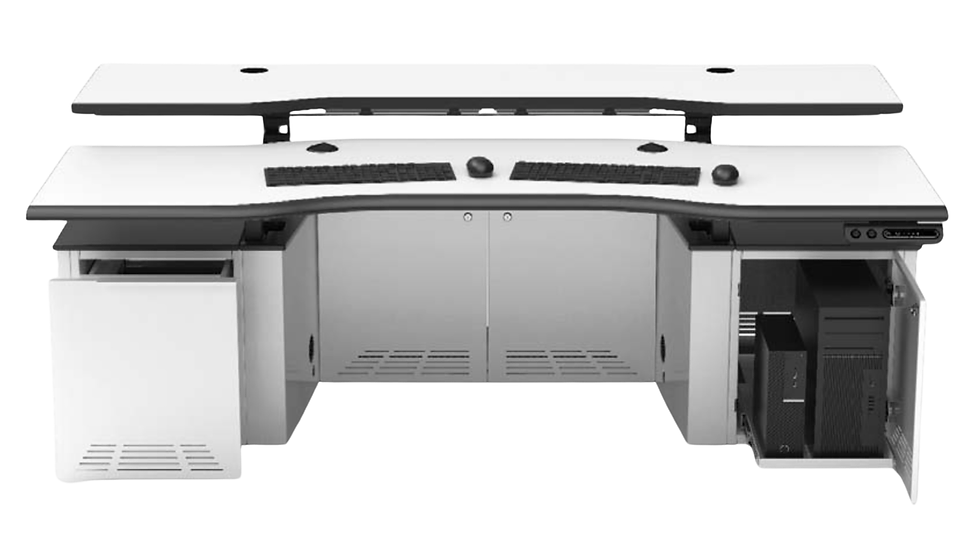
Add thermostatic fans in CPU cabinets to prevent overheating during sustained loads.
Pair with ventilated, lockable doors and defined airflow paths for stable temperatures.
Use fan zoning for high‑load bays and confirm intake/exhaust clearances.
Privacy & Visual Discipline: Console Panels
Side panels in plexiglass or glass add privacy and reduce lateral distractions.
Panel placement also helps with light control and visual boundaries inside pods.
Coordinate panel heights with end gables to manage sightlines and glare.
Mobile Storage: Pedestals & Drawers
Mobile pedestals: two‑ or three‑drawer units on wheels for flexible storage.
Box‑file drawers (6" & 12") inside side cabinets for SOPs, binders, and tools.
Label drawers by role to speed shift handovers.
Seating: 24/7 Ergonomic Chairs
24/7 chairs support round‑the‑clock rotations with ergonomic adjustability and durable materials—critical for PSAP and utilities operators who remain on station for long intervals.
Integration Tips: Keep Worksurfaces Clear & Service Fast
Route power/data via HD or Lite walls; keep slack loops and labels accessible behind removable finishing panels.
Mount powerbars off the desktop; use cable guides and arm‑integrated channels to avoid snags.
Leave clearances for sliding CPU shelves and door swings; test with maintenance tools before go‑live.
Example Accessory Bundles by Mission
PSAP Call‑Taking: Monument power + USB A/C; privacy side panels; mobile pedestal (2‑drawer); 24/7 chair; task light via PES 360; powerbars inside HD walls.
Utilities Transmission: Powerbars in HD raceways; thermostatic fans in CPU cabinets; mobile pedestal (3‑drawer); surface‑mounted status light via Sustrack; 24/7 chair with lumbar support.
SCADA Analysis Pod: Monument power with extra USB; glass panels for visual separation; clamp‑mounted arm channels; Lite walls for instant outlet access in tight aisles.
Specification Checklist (Fast Pass)
Define per‑seat power needs (number of outlets, USB).
Decide where powerbars live (in walls vs. surface frames) to keep desktops clear.
Add thermostatic fans for high‑load cabinets and verify airflow paths.
Select privacy panel material/height to fit sightlines and glare control.
Choose 24/7 chairs matched to shift length and operator anthropometrics.


Comments