
Choosing Dispatch Console Furniture for 24 7 Operations Ergonomic Durable and Functional Designs

A dispatch console is used differently than ordinary furniture. It supports long shifts, fast decisions, multiple screens, radios, phones, and constant hand movement. In a 24/7 operation, the furniture never really gets a break, and neither does the room it serves.
Choosing the right dispatch console furniture means balancing comfort, durability, and function from the start. A console should help operators stay focused, reach equipment easily, and work without fighting the workstation. The best designs feel quiet in the background because they support the work instead of interrupting it.

Ergonomics make long shifts more manageable
Dispatch work often means hours at a keyboard, frequent screen viewing, headset use, and quick coordination between systems. Small discomforts can build over time, especially when a console is shared across shifts.
A good ergonomic console supports a neutral working posture. The operator should be able to sit or stand with shoulders relaxed, wrists supported, and screens positioned at a comfortable viewing height. Controls should sit within easy reach, reducing twisting, leaning, and repeated strain.
Key ergonomic features to look for include:
Height adjustability
Sit-to-stand capability lets operators change posture through a long shift. This can help reduce fatigue and support different body types across shared workstations.
Proper monitor positioning
Monitor arms should allow screens to move up, down, forward, and back. Dispatchers often use several displays, so the layout should reduce neck turning and eye strain.
Comfortable work edges
A urethane edge creates a smooth, slightly forgiving surface where hands and forearms rest during keyboard work. This matters in long-use settings where hard or sharp edges can become uncomfortable.
Adequate leg clearance
The underside of the console should allow natural movement. Equipment, power supplies, and support structures should not crowd the operator’s knees and feet.
In a 24/7 dispatch environment, comfort is not a luxury. It is part of keeping attention steady during demanding work.

Durable materials matter in nonstop environments
Furniture used around the clock needs materials that can handle wear, cleaning, equipment weight, and constant contact. A console built for light use may look fine at installation, but 24/7 service can expose weak surfaces, loose supports, and poor cable access quickly.
High pressure laminate, often called HPL, is a strong option for work surfaces. It resists daily wear better than many standard surface materials and is available in a range of finishes. For dispatch settings, HPL can provide a practical mix of durability, clean appearance, and ease of maintenance.
The support structure matters just as much as the surface. Steel substructures provide strength and stability under monitors, communication equipment, control panels, and heavy use. A stable console reduces wobble, protects equipment, and helps the workstation feel secure during active shifts.
When comparing materials, look beyond the appearance. Ask how the console will perform after years of use, cleaning, hardware changes, and continuous operation.
Feature | Why it matters in 24/7 use |
High pressure laminate work surface | Resists wear from constant hand contact, keyboards, and equipment |
Steel substructure | Adds strength for heavy monitors, radios, and shared use |
Urethane edge | Creates a smoother contact point for wrists and forearms |
Replaceable components | Supports future updates without replacing the entire console |
Easy-to-clean surfaces | Helps keep shared workstations ready between shifts |
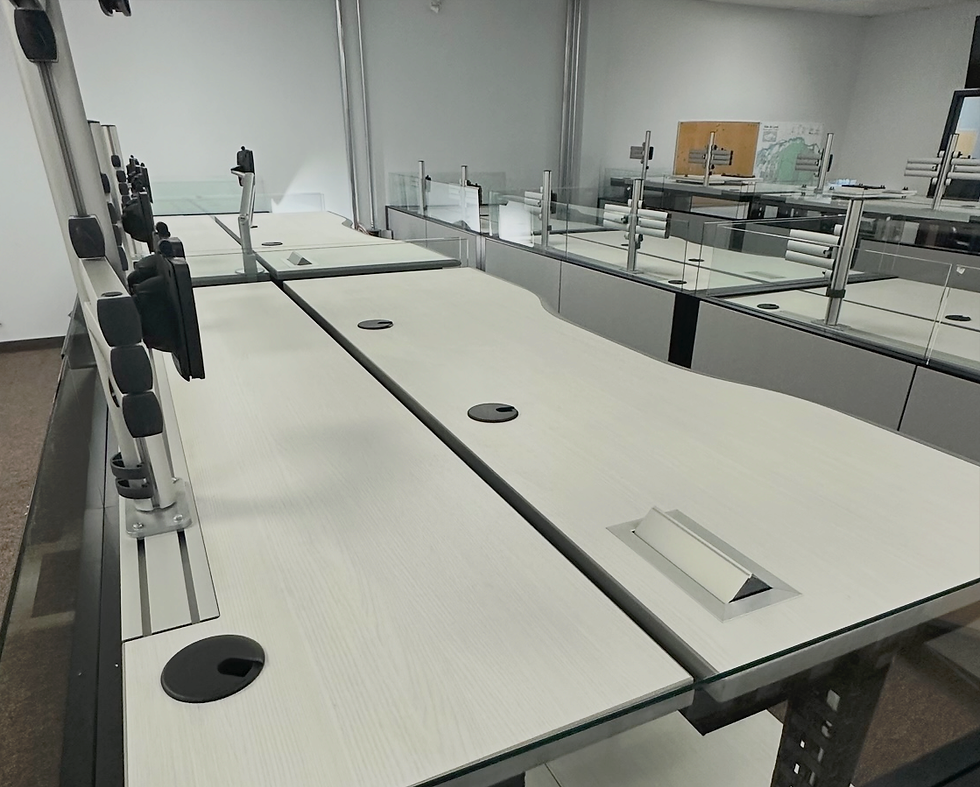
Console layout should support the workflow
The right configuration depends on how operators use the room. Dispatch centers may need direct sightlines to video walls, quick communication between team members, or individual work zones with high focus. Furniture layout should follow the work, not the other way around.
Linear configurations work well for shared visibility
A linear console layout places workstations in straight rows or gently aligned runs. This can work well when operators need to face the same direction, watch a shared display, or maintain clear supervisor sightlines.
Linear designs also make cable routing and room planning easier in many spaces. They can fit well along walls or in rows while leaving clear walkways for supervisors and technical support.
Cockpit style configurations support focused control
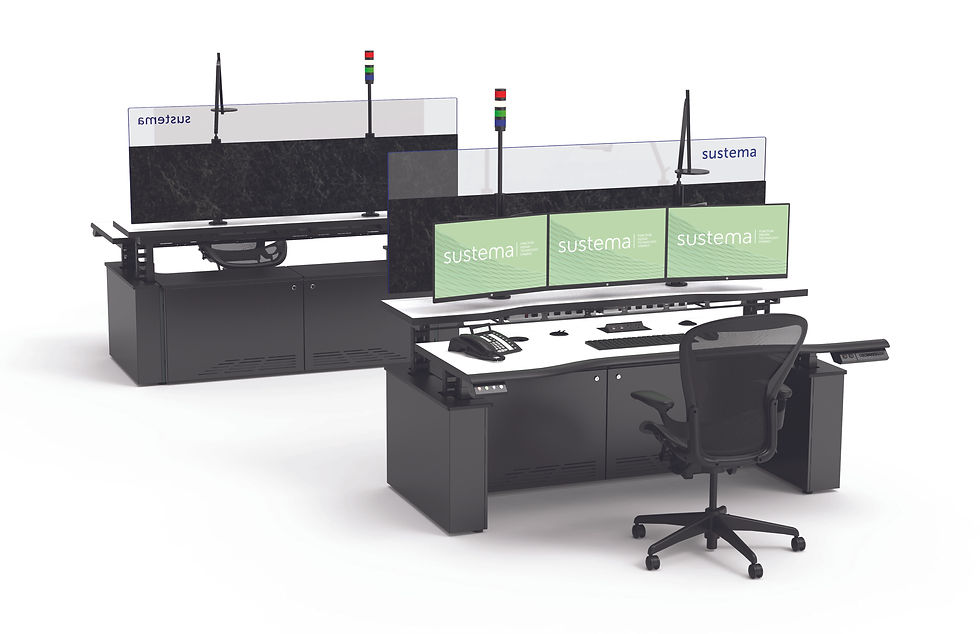
A cockpit style console wraps key tools around the operator. Screens, radios, phones, and input devices sit in a tighter arc, reducing reach and helping the user maintain focus.
This setup can work especially well for roles that require close monitoring of multiple systems at once. The goal is to keep high-use items inside the primary reach zone while avoiding a cramped layout.
The choice between linear and cockpit style designs should reflect:
Number of screens per position
Need for team communication
Sightlines to room displays
Supervisor access
Available floor space
Future growth plans
ADA and clearance needs
A furniture plan should also account for shift changes. Operators need enough room to enter, exit, adjust seating, store small personal items, and take over a workstation without disrupting nearby positions.
Accessories and cable management improve daily performance
Functionality often comes down to the details. A console can have strong materials and good shape, yet still frustrate users if cables are tangled, lighting is poor, or frequently used tools sit in awkward locations.
Cable management should be built into the console, not added as an afterthought. Dispatch centers often use monitors, phones, radios, speakers, chargers, network connections, and backup equipment. Clean cable routing improves safety, makes maintenance easier, and helps the room look orderly.
Useful customization options include:
Task lights
Adjustable lighting helps operators read notes, forms, or labels without flooding the whole room with light.
Monitor arms
Movable arms let users adapt the screen layout by shift, task, or personal preference.
Power and data access
Well-placed access points reduce clutter and limit the need for exposed cords.
CPU Enclosures
Dedicated spaces for CPUs, radios, and control equipment keep technology secure and reachable for service.
Storage options
Locking drawers, shelves, and small compartments can support shared use without taking over the work surface.
Personal climate support
Some console designs can include fans, heaters, or other comfort accessories where appropriate.
A smart selection process reduces costly mistakes
Dispatch console furniture should be selected with the full room in mind. Start by mapping the work. Count screens, radios, phones, keyboards, and specialty devices for each role. Then review how operators move, communicate, and shift between tasks.
Before choosing a design, confirm these points:
What equipment must stay within arm’s reach
Which screens require constant viewing
How many people use each station in a day
How technicians will access power and data
Whether operators need sit-to-stand capability
How the room may change over the next several years
It also helps to involve the people who use and maintain the consoles. Operators can identify reach, lighting, and comfort issues that may not show up on a floor plan. Technicians can flag access needs for cables, devices, and service panels.
The best dispatch console furniture combines a durable build with a layout that feels natural during real work. High pressure laminate surfaces, steel substructures, urethane edges, smart cable management, task lights, and the right configuration all play a role.
Choose furniture that supports the shift, protects the equipment, and fits the workflow. In a 24/7 operation, those details add up every hour of every day.


Comments